
Index a url link into AVAIL as shown:
To rename a url:
-
enter the channel's local side, not the cloud side of a Host in Cloud Channel.
-
and, you have to be in the channel; the edit display name control is not available from content returned from a global search.
-
-
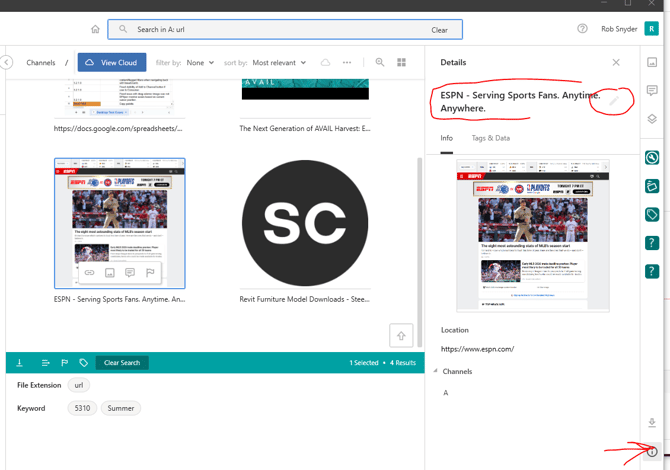
In the channel where the url is indexed, click a url content, then open the information (details) panel (the "i") button at bottom right of AVAIL.
-
At the top, edit the display name (see image below):
-
Alternatively, use Tag IO:
-
edit the display name in the spreadsheet, save the sheet, and upload the sheet with the upload button in Tag IO (do not use the Tag Import tool!)